Build a mobile game. Master Godot’s 2D workflow.

Sixteen lessons build a 90-second dodge game from a blank Godot project — scenes, scripts, touch input, enemies, saves, and release. Every lesson runs one loop: build it, explain it, modify it, verify it. Runnable reference checkpoints cover all sixteen, so you never have to guess what done looks like.

Godot 4.7.1 minimum · 4.7.2 recommended (Oct 13, 2026) · matching export templates · all 16 reference checkpoints pass on both (desktop runs)

GDScript808 × 360 landscapeCompatibility rendererAndroid · itch.io
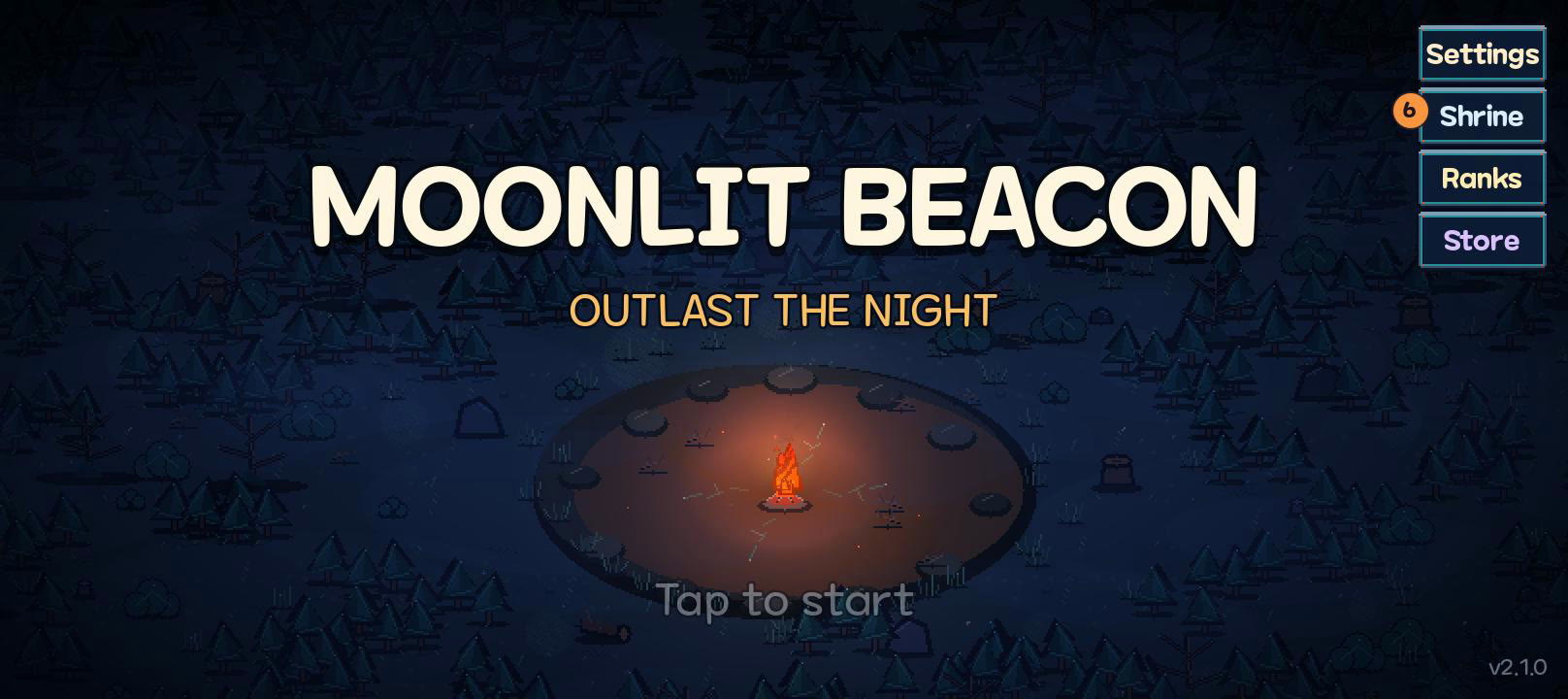
Moonlit Beacon title screen: a lit beacon in a night forest clearing
Early survivor reference (v2.1.0) — not the current store build or the practice output.

Every lesson is a store screenshot

Gameplay, art, sound, and UI go in together in the same lesson. We do not start with gray rectangles and paint graphics on at the end.

The official tutorial order, intact

Nodes and scenes → instances → scripts → input → signals. We keep the Godot intro course order, but we do not clone the sample. We build a game with a different goal.

Real assets, real licenses

CC0 art and audio plus an attributed commercial font, drawn from the same selections the shipped game uses. You practice checking licenses and keeping originals separate from the files the game actually uses.

Runnable checkpoints, every lesson

One command generates a lesson’s complete end state beside your own project to compare against — never to overwrite it. Each lesson still ends with a modification you make and verify yourself.

Learn Godot 2D by building it

Every lesson follows one loop: build the feature in your own blank project, explain why it works that way, modify it in the exercises until it breaks, and verify it against the completion checklist. What you keep is the 2D workflow — scenes, scripts, input, and release — practiced on a game you can hold.

Lessons 1–4 · Shape the game

Project setup, nodes and scenes, instances, your first script. You can set up a 2D project, split a screen into reusable scenes, and drive state from code.

Lessons 5–8 · Bring it alive

Sprite animation, touch input, signals, enemies. You can animate a character, read a thumb, decouple nodes with signals, and sort collisions with layers.

Lessons 9–12 · Finish a run

Run state, HUD, pause, dash. You can open and end a run, show its state on screen, pause cleanly, and add a second thumb of input.

Lessons 13–16 · Ship it

Data-driven enemies, saves, localization, release. You can grow content from data files, persist records, translate a game, and export a signed debug build of your own.

This is a 2D workflow course: top-down sprites, touch controls, and a phone export, practiced on a game you can hold. Finish with the capstone: add a fourth beacon, a new enemy type of your own, and one rule change, then verify all of it on your phone.

Read the full learning path and capstone →

Play the current game

The stores carry the expanded survivor the course grew into: six places, weapon paths, relics, guardians, and deeper cycles. The sixteen lessons build the original 90-second dodge game it started from — three beacons, three enemy kinds plus a guardian, and one moonlight gate. Public listings show version 4.0.1 (October 8, 2026) on both stores. Play the current game to see where the foundation leads.

Never played? Join a first-play session

Up to five course readers who have never played are invited to a short volunteer first-play session. No purchase or review needed; guest entry is available and sign-in is optional — and nothing is recorded without your separate consent.

Read the invitation →